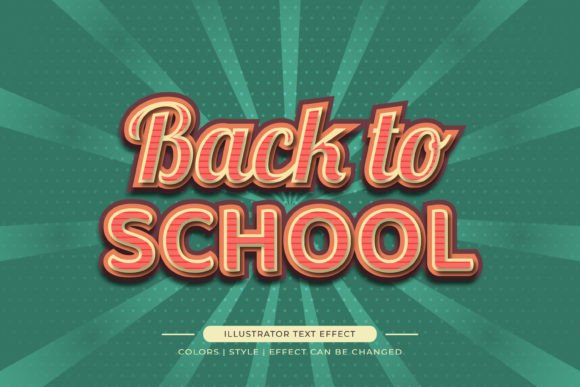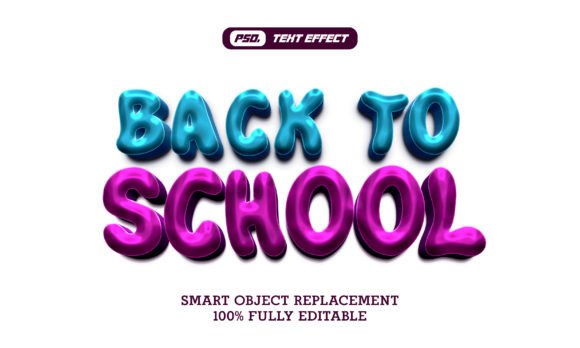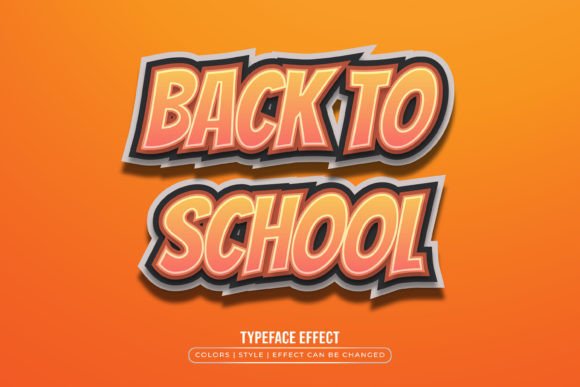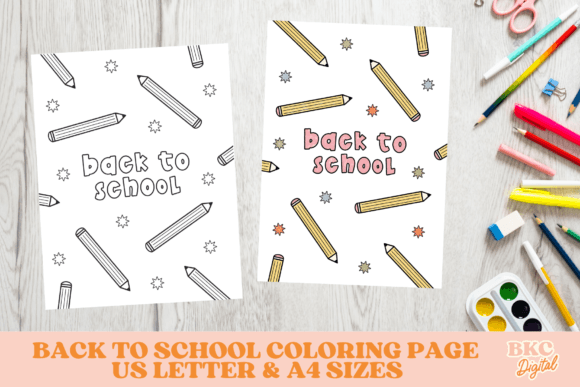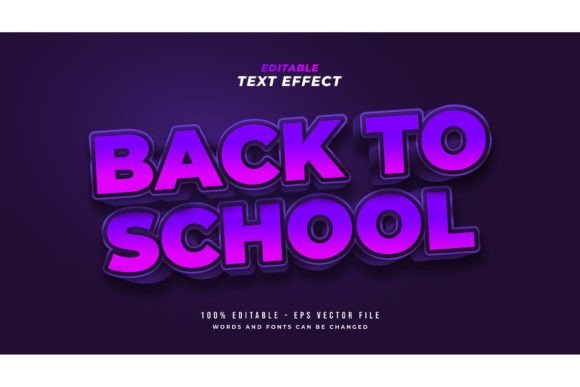
3D Back to School Text Effect
Imagine opening Adobe Illustrator, typing “Welcome Back!” in your favorite font—and instantly seeing it pop off the page with depth, shadow, gloss, and dimension. That’s what a 3D Back to School Text Effect delivers: not a font file, but a fully editable design layer that transforms plain text into eye-catching, school-themed graphics in seconds.
It’s Not a Font—It’s a Design Shortcut
This is an important distinction. Unlike downloadable fonts (which only change letter shapes), a 3D Back to School Text Effect is a layered Illustrator file where text remains live and fully editable—you can swap fonts, resize letters, adjust spacing, or recolor every element without losing quality. The 3D illusion comes from carefully built gradients, shadows, highlights, and perspective layers—all grouped logically so you control them with one click.
The package includes 100 pre-styled words like “First Day,” “Classroom,” “Homework,” and “Science Fair”—but those are just starting points. You’re free to replace any word with your own, use a script font for a playful bulletin board or a bold sans-serif for a school newsletter header. Nothing is rasterized or flattened. Everything stays vector-based, scalable, and sharp—even when enlarged for posters or printed on banners.
For Educators & School Staff
A 4th-grade teacher designing a welcome banner doesn’t need to spend hours learning 3D modeling tools. With this effect, she types her class name, picks a cheerful color, and exports a crisp JPG for printing—before lunch. She values reliability over novelty: clean lines, legible contrast, and quick edits when the principal asks for a last-minute change. For her, “easy to edit just click and change the texts” isn’t marketing—it’s classroom survival.
For Freelancers & Marketing Professionals
A designer building a back-to-school social media campaign for a tutoring startup needs consistency across 12 platforms. Using the same 3D effect across Instagram carousels, email headers, and printable PDFs ensures visual cohesion—without reinventing the wheel each time. They care about flexibility: Can they match brand colors? Export transparent PNGs? Swap fonts to align with existing typography systems? Yes—because the EPS and JPG preview files are accompanied by layered, labeled AI files where every shadow and bevel is editable, not baked in.
For Small Business Owners & Entrepreneurs
An owner of a local stationery shop launching a “Back to School Sale” promotion wants professional-looking signage—fast and affordable. They don’t have an in-house designer or a subscription to expensive plugins. This effect gives them studio-quality results using software they already own (Illustrator), with no extra learning curve. Their priority is speed + commercial safety: all elements are original, royalty-free, and usable in client-facing materials—including logos, flyers, and web banners.
For Students & Hobbyists
A college student designing a study group poster or a parent crafting a personalized “First Day of Kindergarten” sign values simplicity and joy—not technical precision. They appreciate clear instructions, intuitive layer organization, and the ability to experiment freely: try a glitter texture on “Art Class,” switch to neon green for “Lunchtime,” then revert in one undo. There’s no pressure to “get it right.” The design invites play, not perfection.
What Makes It Practical—Not Just Pretty
Real-world usefulness comes down to three things: control, compatibility, and clarity.
- Control: Every text element is live—not outlined. Change the word “Math” to “Geometry,” switch from Arial to Montserrat, bump the size from 48pt to 72pt—and the 3D effect updates automatically, preserving depth and lighting relationships.
- Compatibility: Works in Adobe Illustrator CS6 through the latest version. EPS format ensures broad compatibility for print vendors; JPG previews let you quickly share concepts with stakeholders who don’t use design software.
- Clarity: Layers are named and grouped meaningfully (“Base Text,” “Shadow Layer,” “Highlight Gloss”)—no guessing which shape does what. Beginners can hide or tweak individual components; advanced users can dive into blending modes or add custom textures.
When This Fits—And When It Might Not
This isn’t meant for photorealistic 3D product mockups or animated intros. It’s purpose-built for static, high-impact text treatments where school spirit, clarity, and warmth matter more than hyperrealism.
If your goal is to:
- Create classroom decorations, digital newsletters, or event flyers—yes.
- Design consistent branding assets for a tutoring business—yes.
- Make quick, polished social posts without hiring a designer—yes.
- Produce motion graphics or 3D-printed signage—not the right tool.
- Need handwriting-style lettering with natural ink variation—look for brush-based fonts instead.
Getting Started Is Literal One-Click Editing
Open the Illustrator file. Click once on any text box. Type your new word. Done. No plugins, no rendering waits, no font licensing checks. Want to soften the shadow? Adjust the opacity of the “Drop Shadow” layer. Prefer a matte finish over glossy? Turn off the “Highlight Gloss” group. Need it in black-and-white for photocopying? Recolor the entire effect using Illustrator’s Recolor Artwork tool.
The included JPG preview helps you visualize final output before opening Illustrator—useful for clients or collaborators unfamiliar with vector workflows. And because everything is built in native Illustrator features (no third-party scripts or extensions), there’s no risk of broken links or missing assets when sharing files across teams.
A Resource That Grows With You
Beginners gain confidence through immediate, visible results—turning abstract design concepts like lighting direction or layer hierarchy into tangible, adjustable elements. Seasoned designers appreciate the time saved on repetitive setup, freeing mental space for layout, messaging, and audience strategy.
Most importantly, it supports intentionality. Whether you’re reinforcing a growth mindset in students, building trust with parents, or standing out in a crowded marketplace—the 3D Back to School Text Effect puts expressive, professional communication within reach. Not as a shortcut around skill—but as a thoughtful tool that respects your time, goals, and creative voice.